WISH ESS
- 4.0
- Rating
- 10.00K
- Installs
- Free
- Price

 Analysis by App-foxy
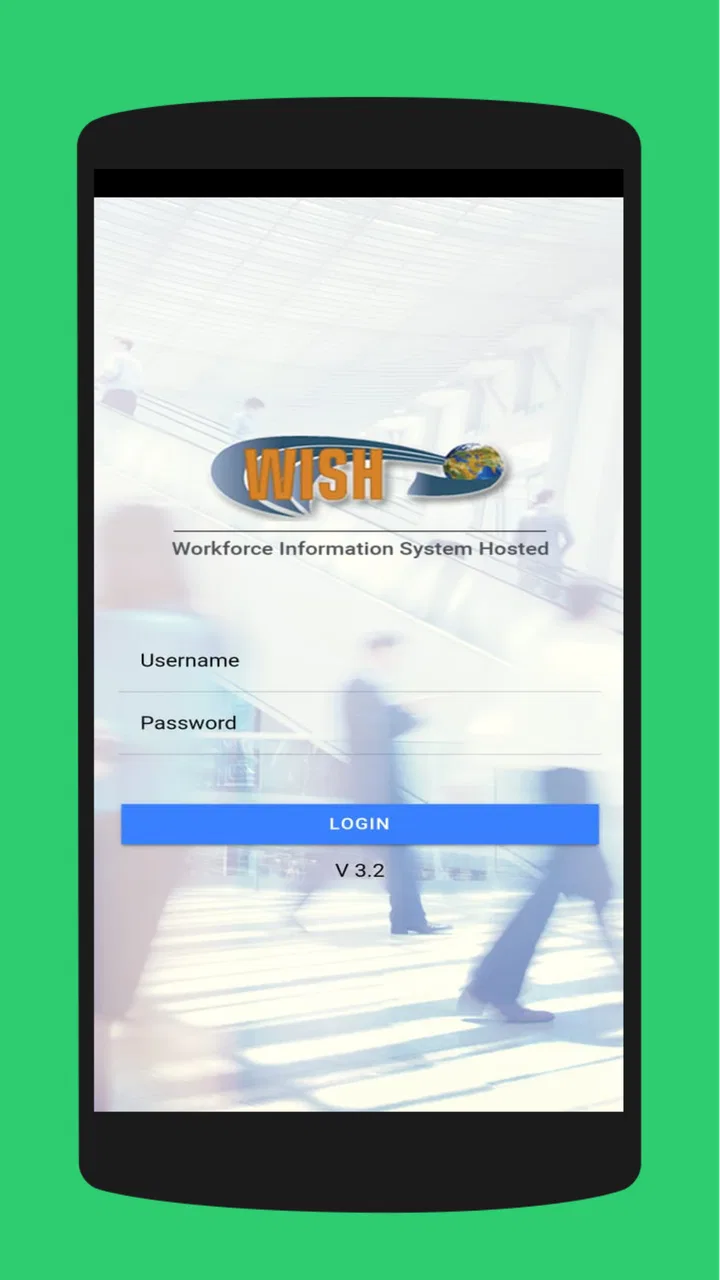
When I first looked at WISH ESS, I understood its purpose quickly: it is an employee self-service portal for people connected with WISH, rather than a general events app for the public. That distinction matters. I would not install it expecting a calendar full of public activities or a social feed. I would use it when my workplace expects employees to handle work-related information through a mobile device.
The app is free, aimed at everyone from an age-rating perspective, and developed by ProtaTECH Inc. Its store presence shows a 4.0 average from around a hundred ratings, with more than ten thousand installs. Those figures suggest that it has found a practical audience, although they also tell me to judge it as a focused workplace tool rather than as a polished, mass-market consumer service.
My overall impression is that WISH ESS is most useful when it removes a small administrative obstacle at the exact moment I need to deal with it. Its value is less about entertainment and more about having an employee portal available without opening a desktop browser. The experience depends heavily on whether my organization has configured the service well, so the app should be considered part of a larger workplace process, not an independent productivity system.
You May Also Like

 Blood Strike: 2.5 Anniversary
Blood Strike’s Loadouts Turn Every Drop Into a Tactical Gamble
A close look at Blood Strike’s custom loadouts: how fast access to signature weapons reshapes its battle royale rhythm, rewards preparation, and narrows the gap between fights.

 Pandora - Music & Podcasts
Pandora’s Music Is Easy to Start, but Harder to Recover
Pandora’s strength is its low-effort path from a seed to a station. Its weak spot is how much confidence it asks you to place in connection, setup, and quiet recovery.

 8 Ball Pool
 Is Built on Rivalries, Rematches, and Routine
A close look at the rivalries, rematches, shared routines, and unanswered safety questions that turn a quick pool match into a persistent mobile community.

 Samsung Music
’s Quiet Strength Is Playing What You Already Own
Its reach comes less from spectacle than from dependable access to a personal library. That simplicity is both the app’s strongest retention engine and its ceiling.

 AccuWeather: Weather Radar
AccuWeather Review: A Quick, Clear Forecast for Everyday Decisions
For everyday plans, the best forecast is the one you can understand quickly. AccuWeather makes rain timing, radar, and local conditions easy to act on, with a few trade-offs.

 Hill Climb Racing
Why Hill Climb Racing Still Turns Crashes Into One More Run
A tiny car, a bumpy hill and one more upgrade: Hill Climb Racing keeps resurfacing because its simple chaos makes every near-miss feel personal.
More From Our News Desk
View All News


From a workplace need to a completed task
I find it useful to begin with the moment a workplace task moves from “I should take care of that” to an actual action on my phone. This section looks at how I would approach that handoff, including the small checks that help me avoid confusion or duplicate effort. The next part considers how the portal fits into an ordinary workday.
Starting with the right expectation
The starting condition is simple: I am an employee who needs access to WISH-related workplace services while away from a computer. Perhaps I am checking something before leaving for work, reviewing information during a break, or completing a small administrative step after a shift. In that situation, a dedicated portal can be more convenient than searching through email threads, asking a supervisor, or waiting until I reach a shared workstation.
That convenience is also the app’s main limitation. WISH ESS is not something I can meaningfully explore before I have a legitimate reason to use it. Its usefulness comes from the employee relationship behind it. If my employer does not use WISH, or if I am looking for a general event-planning application, this is the wrong download no matter how attractive the listing may look.
I also would not treat the app as a replacement for every workplace communication channel. A portal is normally strongest for structured employee tasks and personal workplace information. It is less suitable for informal discussion, broad collaboration, or keeping a team conversation alive. If my goal is chatting with colleagues or organizing a public event, I would choose a messaging or event-management tool instead.
Getting ready before the first login
Before opening the app, I would make sure I have the employee credentials or access instructions supplied by my workplace. This is a small but important preparation step. When an employee portal fails to feel convenient, the problem is often not the phone itself but uncertainty about which account to use, where to request access, or whom to contact when an account is not recognized.
I would also install it on a device that I can keep reasonably secure. Because an employee portal may expose personal or work-related information after sign-in, I would avoid using a borrowed phone and would keep the device protected with its normal lock screen. I would not save credentials casually in a shared environment simply to make the next login faster.
The current version is 5.0.1 and the app supports Android 7.0 or later. That makes it accessible to many older Android phones, which is useful for workplaces where employees do not all have recent devices. At the same time, support for an older operating system does not guarantee an identical experience on every handset. Screen size, manufacturer software, connection quality, and the organization’s own setup can all affect how smooth the process feels.
Moving through the portal step by step
My practical workflow would begin by opening WISH ESS when I have a specific task in mind, rather than browsing aimlessly. A focused approach makes an employee portal easier to use: sign in, identify the relevant area, review the information carefully, complete the required action, and then confirm that the result has actually been recorded.
The first useful habit is to pause after signing in and check that I am looking at the correct employee account. This is especially important on a phone that is shared within a household or workplace. A portal can feel fast while still being risky if the wrong session remains open. I would sign out when the device is not exclusively mine, even if that adds a few seconds to the process.
Once inside, I would look for the task that matches my immediate need instead of assuming that every menu item applies to me. Employee systems often contain sections that depend on an individual’s role or workplace arrangement. If a screen presents several options, reading the labels before tapping helps prevent accidental submissions and reduces the chance of having to repeat the process through another channel.
The most useful way to judge the app is not by how quickly it opens but by whether it gives me a clear path from request to confirmation. A good mobile portal should let me understand what action I am taking, what information I am providing, and what happens next. If I reach a final screen, I would take a moment to look for a visible confirmation or a changed status before closing the app.
Handling handoffs between employee, portal, and workplace
The handoff is where WISH ESS becomes more than a simple phone interface. I may start the process, but the information or request may then move into a workplace workflow handled by a supervisor, administrator, or another internal team. The app can make my part more convenient, but it cannot remove the need for that organizational follow-through.
For that reason, I would record the essentials of an important submission: what I sent, when I sent it, and what outcome I expected. I would not rely on memory if the matter affects a schedule, an employee record, or a time-sensitive workplace decision. This is not a criticism unique to WISH ESS; it is a sensible habit whenever a mobile portal sits between an employee and an internal approval process.
A second useful habit is to distinguish between a technical problem and a workflow delay. If the app will not open or a screen cannot load, I would first check the connection and retry once. If the app accepts the request but the expected result does not appear immediately, I would avoid submitting the same thing repeatedly. Duplicate requests can create confusion, while a short wait or a message to the appropriate workplace contact may be the better next step.
This is one of the app’s less obvious trade-offs. The portal can reduce unnecessary handoffs for routine tasks, but it may make the remaining handoff more visible. I can see that I have completed my part, yet the final outcome may still depend on someone else. That is helpful when the status is clear, but frustrating when the workplace process itself is slow or unclear.
What a realistic day-to-day use looks like
Imagine that I am preparing for a workday and need to check an employee-related item before commuting. Instead of waiting to reach a desktop, I open WISH ESS, sign in, locate the relevant section, review the details, and complete the required step. I then check that the submission or update is reflected before putting my phone away. If another person must approve or respond, I note that the portal task is complete but the overall matter is still pending.
That scenario shows where the app earns its place. The benefit is not that it turns a complicated process into entertainment. The benefit is that I can begin or finish a routine employee action at a convenient point in the day. For someone who works away from a desk, that can be a meaningful improvement over a desktop-only portal.
I would use the same careful approach for a task that involves personal information. I would read each field, avoid rushing through a form on a small screen, and review the final details before confirming. Mobile convenience can encourage quick tapping, but employee records deserve slower attention than an ordinary social-media interaction.
Another practical tip is to keep the app available only if I use this workplace service regularly. If I need it once every few months, I may prefer installing it when necessary and keeping my account details stored securely elsewhere. If I use it frequently, having the dedicated app ready can be more efficient than repeatedly searching for a browser page. The right choice depends on how often my organization expects employees to interact with the portal.
Where the flow feels strong
WISH ESS makes the most sense for employees who need a direct mobile route into their workplace system. The dedicated format is more focused than trying to manage employee tasks through a general browser tab, especially when I am on a phone and want to complete one defined action. It also avoids mixing work administration with unrelated personal apps.
The app’s broad device compatibility is another practical advantage. Supporting Android 7.0 or later means an organization does not automatically need to replace older phones before employees can attempt to use the portal. That can matter in real workplaces, where device age varies widely and not everyone upgrades at the same time.
The fact that the app is free also lowers the barrier for employees who need access. I would still remember that “free” applies to obtaining the app, not necessarily to every cost surrounding workplace administration. Data usage, device ownership, and the time required for an employer to process a request are separate considerations. The app itself does not turn those larger costs into zero.
The 4.0 average indicates a generally positive but not flawless reception. I read that as a reason to keep expectations realistic. WISH ESS appears suitable for its focused role, but I would not assume that every employee will find every workflow equally smooth. A portal’s quality is shaped by both the application and the way the organization uses it.
Where the flow breaks down
The first likely point of friction is access. If I do not know which credentials to use or the organization has not activated my account, the app cannot solve that by itself. This is where a clear internal contact matters. I would ask the workplace administrator rather than repeatedly guessing passwords or creating unnecessary confusion around account recovery.
The second issue is the small-screen environment. A phone is convenient for short checks, but it is not always ideal for reviewing long information or entering many details. If a task requires careful comparison, extensive typing, or repeated corrections, I would prefer a larger screen when that option is available. The mobile app is best for focused actions, not automatically for every employee workflow.
A third weakness is the dependency on the organization’s process. Even if the app works correctly, an unclear approval path can leave me wondering whether the task is finished. This is why I would look for a status change, confirmation, or workplace response rather than assuming that a tap equals completion. The app can be the front door without being the entire building.
Connection problems can also interrupt the flow at an inconvenient moment. I would avoid submitting a sensitive or important action while moving between unreliable networks. If the screen freezes after I tap a final button, I would first check whether the action appears in the portal before trying again. That simple check can prevent duplicate submissions.
These limitations make WISH ESS a poor fit for people who want a polished, independent event application, a public community, or a full communication suite. It is also not the best choice for an employee who rarely needs mobile access and already has a reliable desktop process. In those cases, the extra app may add clutter without saving meaningful time.
How it compares with the usual alternatives
The closest alternative for many employees is a browser-based employee portal. A browser can be more flexible, particularly on a computer, and it may be easier for occasional access when I do not want another app installed. WISH ESS has the advantage when I need a dedicated mobile entry point and want to avoid finding the correct workplace page each time.
A general workplace suite may offer messaging, calendars, document storage, and forms in one place. That broader approach is better when my work involves collaboration and ongoing conversation. WISH ESS is more appropriate when the task is tied specifically to the WISH employee system. I would not choose it instead of a collaboration platform; I would see it as serving a different layer of the workday.
Email is another common substitute. Email is useful for explanations, questions, and keeping a written conversation, but it is less structured for employee self-service. A portal can provide a more direct route for standardized actions, while email remains better when I need a human answer or have an unusual situation that does not fit a form.
For public events, dedicated event apps and calendar tools are clearly better choices. WISH ESS belongs to the employee side of the process, not the attendee side. That boundary is important because it prevents disappointment: I would recommend it to someone who needs workplace access, not to a friend searching for concerts, appointments, or community activities.
Who should install it and who should skip it
I would recommend WISH ESS to an employee whose organization actively uses it and who wants to handle workplace tasks from an Android phone. It is particularly sensible for people who are frequently away from a desk, share access to a workplace computer, or need to check employee information during the normal rhythm of a working day.
I would also consider it worthwhile for employees who prefer separating work administration from personal email. Keeping a dedicated portal for structured employee actions can make it easier to remember where a task was completed and reduce the chance that an important request disappears in a crowded inbox.
I would skip it if I have no WISH employee account, if my employer has not instructed me to use it, or if my needs are mainly public event discovery and social communication. I would also hesitate if almost all my work administration is easier on a desktop and I rarely need access while mobile. An app should solve a real access problem, not become another icon that I never open.
My final assessment after following the complete workflow
After considering the full path from an employee’s initial need to the final workplace outcome, I see WISH ESS as a practical, specialized tool. Its strongest contribution is convenience at the front of an employee process: I can reach the relevant portal from an Android device and take care of a focused task without waiting for a computer.
Its weaker side is equally clear. The app cannot guarantee that the organization will respond quickly, that every workflow will feel equally intuitive, or that a phone will be the best screen for detailed work. I need the correct access, a secure device, a stable connection, and a realistic understanding of which part of the process belongs to me.
Version 5.0.1, free availability, an Everyone age rating, and support for Android 7.0 or later make it approachable for a broad range of employees. Still, those technical details matter less than the question of whether WISH is part of my workplace routine. If it is, I would keep it as a focused employee portal and use it deliberately, checking confirmations and avoiding duplicate submissions. If it is not, I would choose a browser, email, collaboration suite, or event-specific app that matches my actual goal.
My recommendation is therefore conditional but positive: install WISH ESS when your employer relies on it and you want mobile access to that process. It works best as a dependable doorway into employee administration, not as a general-purpose events or communication app. Used with that expectation, it can save small amounts of time in exactly the situations where those small gains make the workday easier.
FAQs for WISH ESS
01What is WISH ESS and what does it do?
WISH ESS is an innovative app designed to streamline your daily tasks and enhance productivity. With features like task management, calendar integration, and customizable reminders, it helps users organize their schedules efficiently. The app's intuitive interface ensures that even beginners can easily navigate and maximize its functionalities.
02Is WISH ESS available for both Android and iOS devices?
Yes, WISH ESS is available for download on both Android and iOS platforms. Users can find it on the Google Play Store and the Apple App Store, ensuring a seamless experience across devices. Regular updates are provided to enhance compatibility and introduce new features.
03Does WISH ESS require a subscription or is it free to use?
WISH ESS offers a free version with essential features to help manage tasks and schedules. For those seeking advanced features, a premium subscription is available. The premium version includes additional customization options, priority support, and ad-free usage, providing an enhanced user experience.
04How does WISH ESS handle user data and privacy?
WISH ESS prioritizes user privacy and data protection. The app complies with industry standards to ensure that all user information is securely stored and encrypted. Users can review the privacy policy within the app to understand how their data is collected, used, and protected.
05Can WISH ESS be used offline, or does it require an internet connection?
WISH ESS can be used offline, allowing users to manage tasks and view their schedules without an internet connection. However, certain features, such as cloud synchronization and notifications, may require connectivity to function fully. This ensures that users can stay productive even in areas with limited internet access.
Pros
- User-friendly interface for easy navigation.
- Wide variety of features for customization.
- Regular updates with new functionalities.
- Efficient customer support available 24/7.
- Compatible with both Android and iOS devices.
Cons
- Requires stable internet connection.
- Contains occasional in-app advertisements.
- Premium features locked behind a paywall.
- May consume significant battery life.
- Initial setup can be time-consuming.

WISH ESS
Gallery